See what's happening
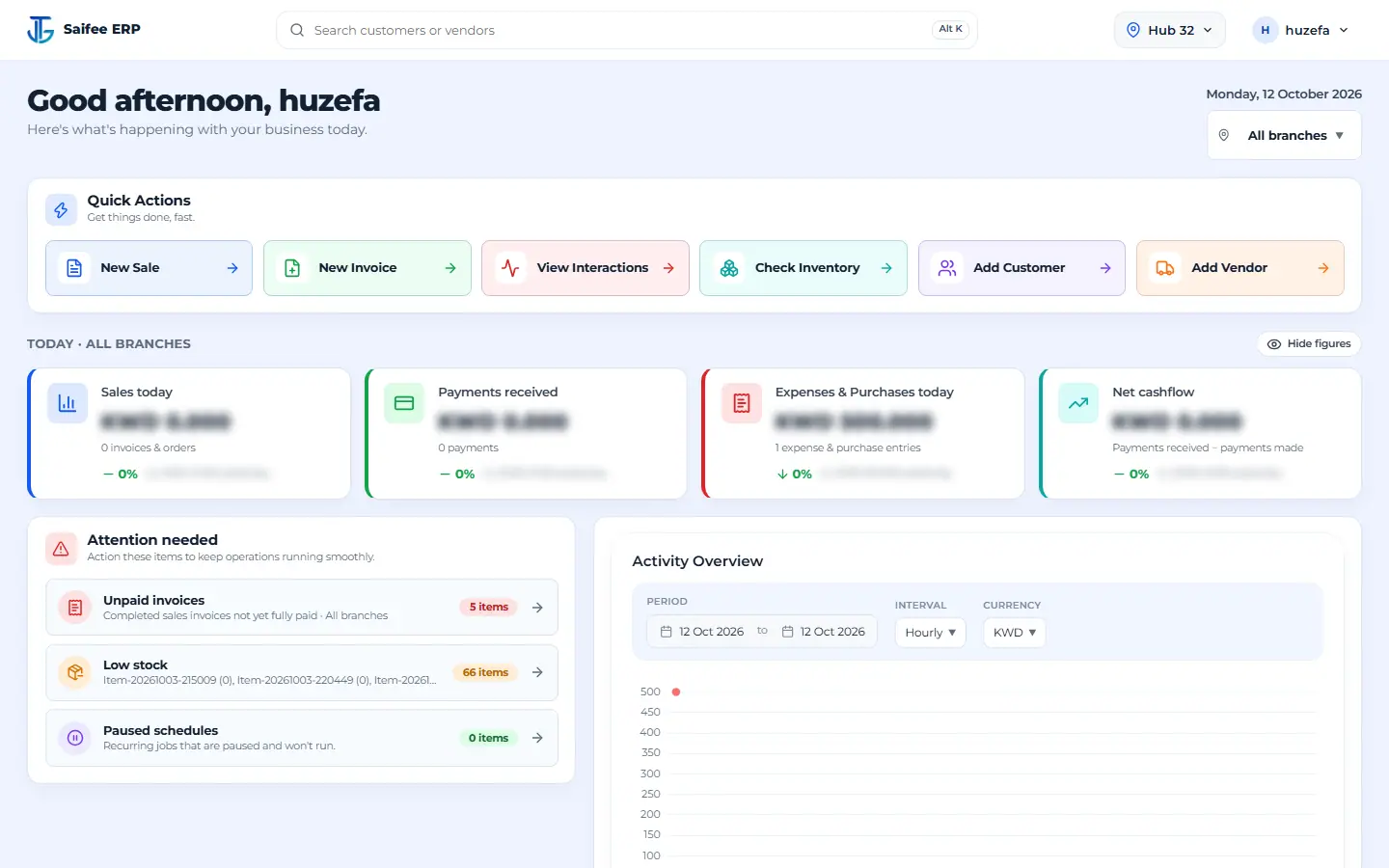
Check key sales figures, stock updates and daily activity from one dashboard.
From sales and stock to purchasing, payments and expenses, Saifee ERP keeps your daily work together. Less chasing information. More time running your business.
Check key sales figures, stock updates and daily activity from one dashboard.
Manage user roles and permissions so your team has access to the tools they need.
Sales, purchasing, inventory and customer records live in the same system, not separate files.
Work with KWD, local business details and documents you can print or share.
Open your dashboard and see how the business is doing without digging through different screens.
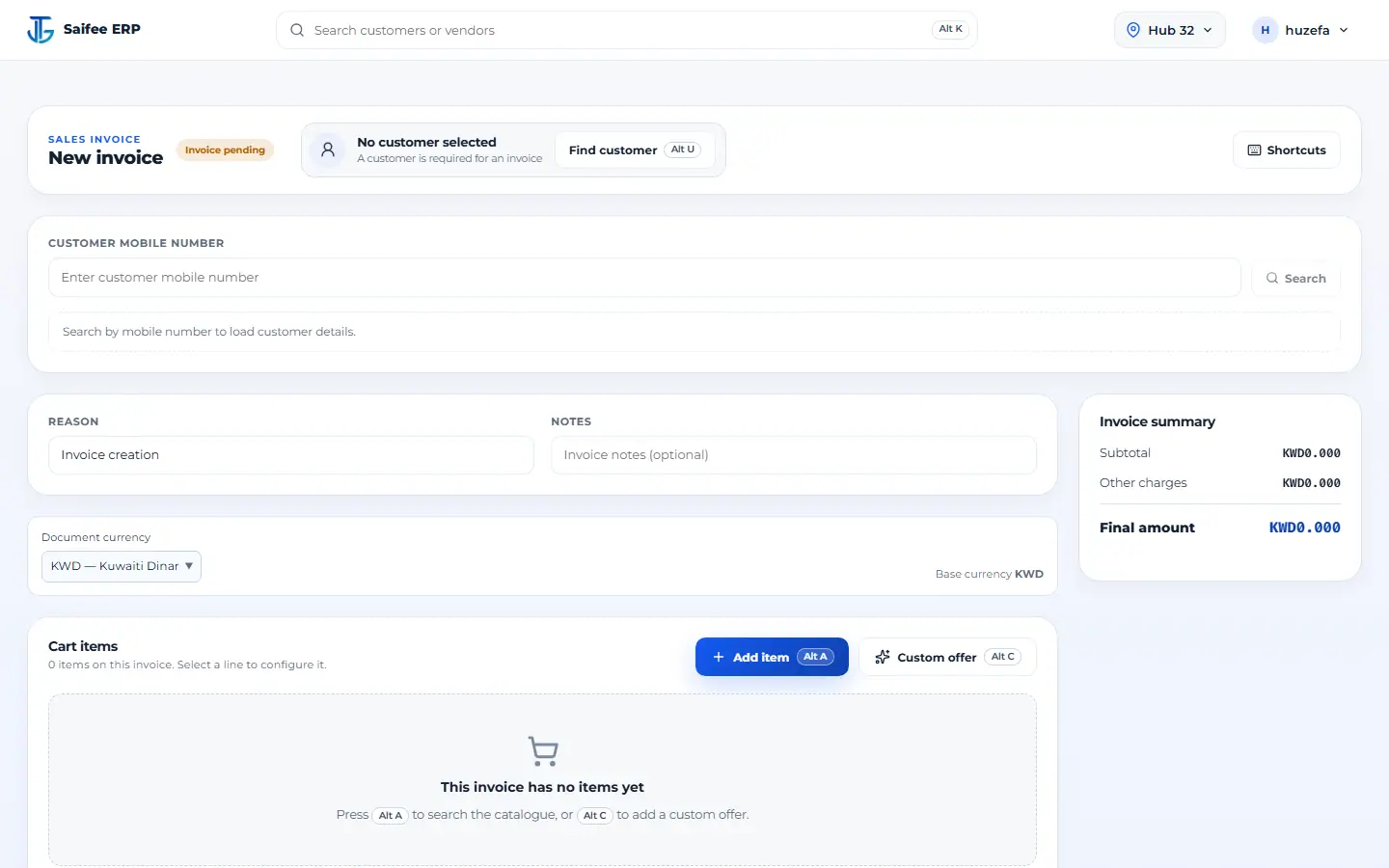
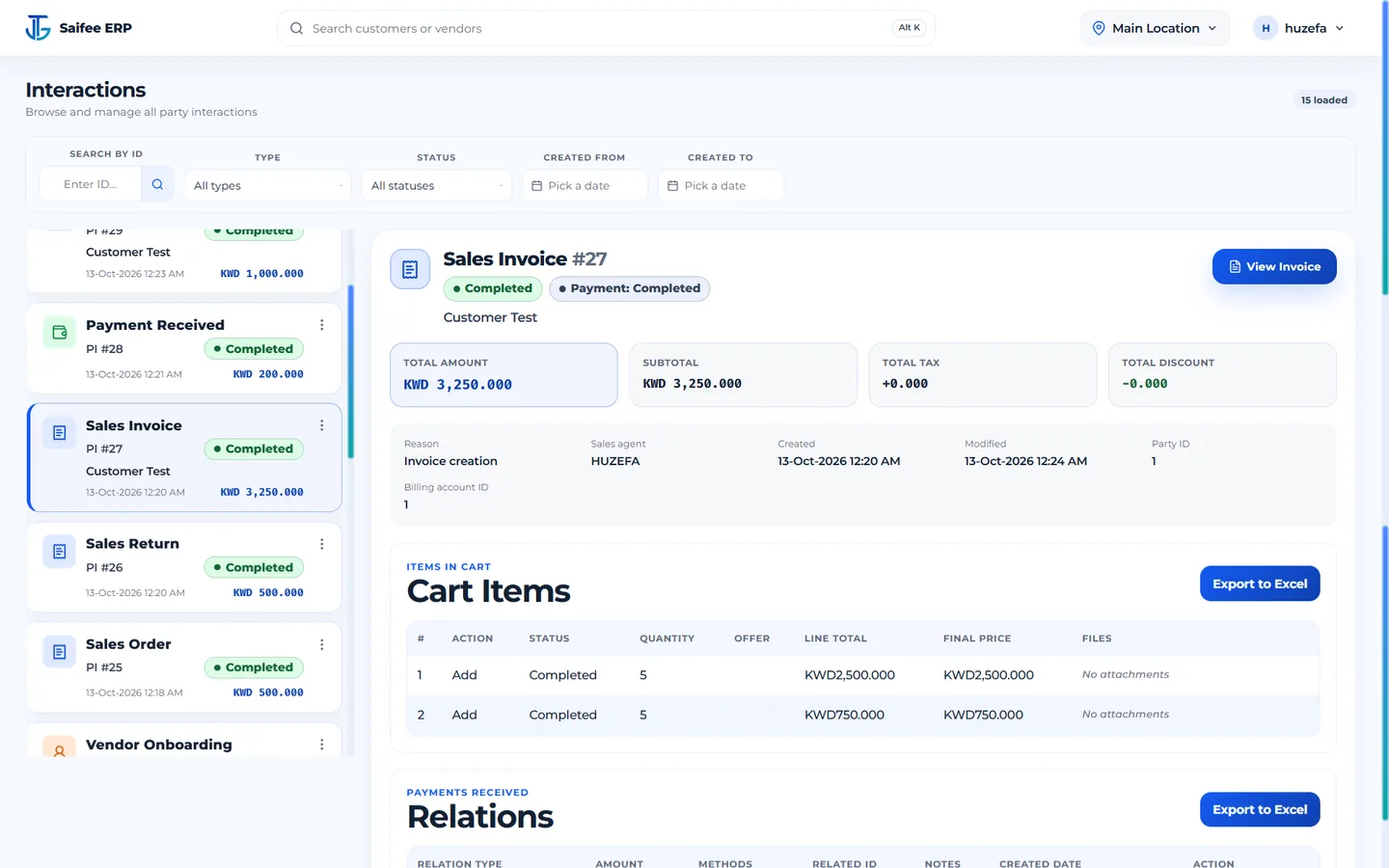
Create orders and invoices, track payments, and keep customer transactions easy to find.
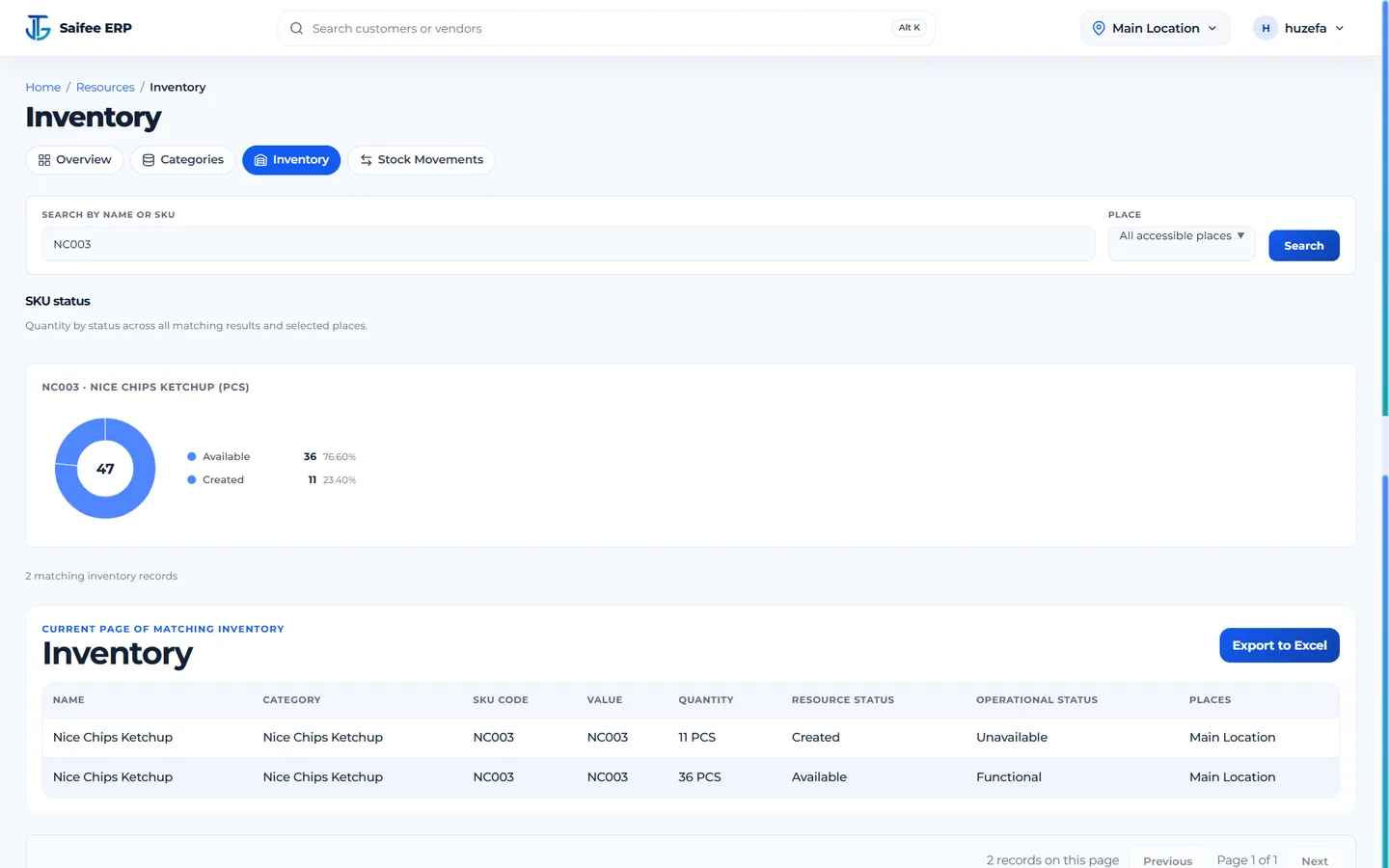
See what you have, where it is and what's moving in or out. Manage stock receipts, issues, transfers and adjustments in one place.
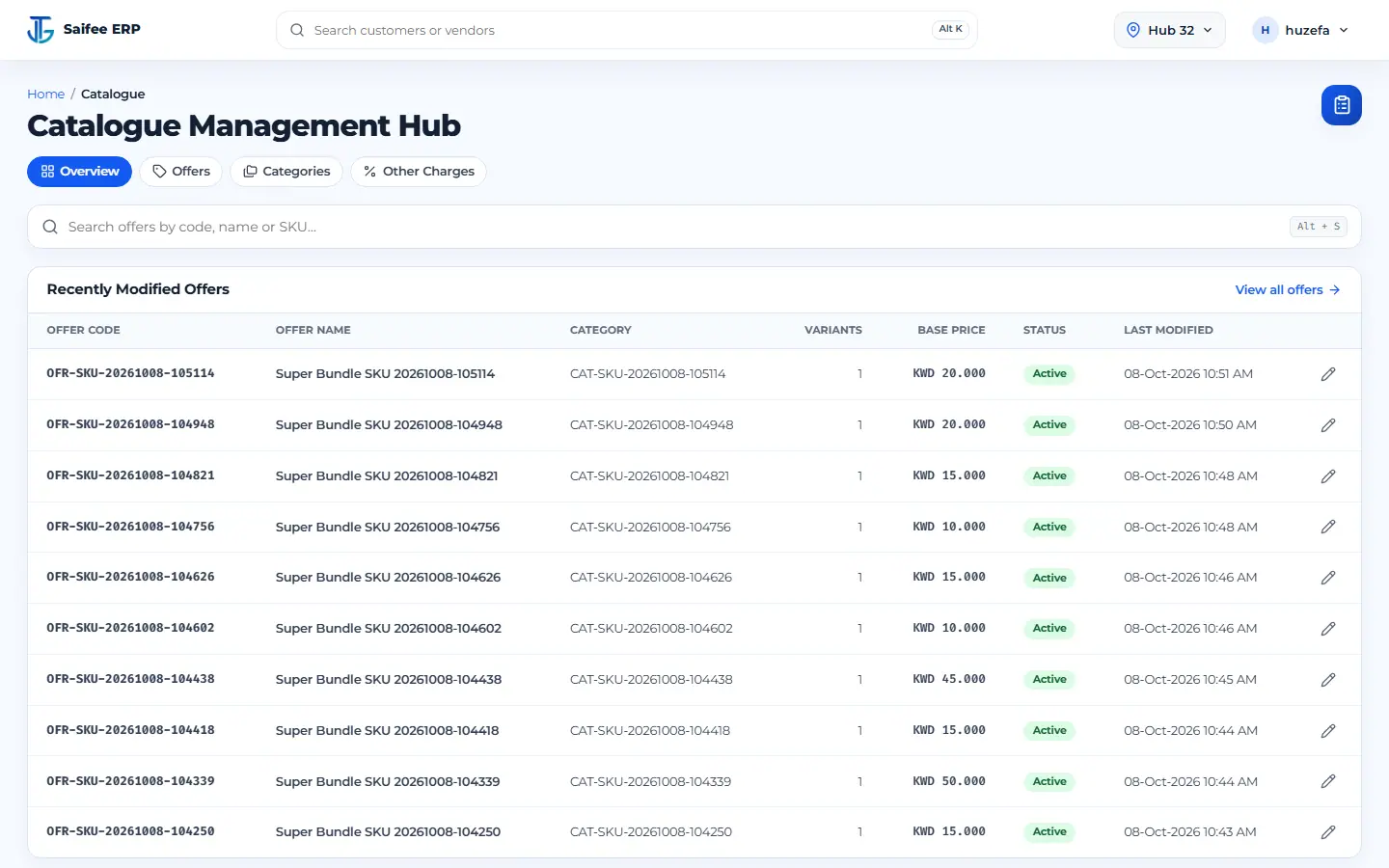
Manage the products and services you sell, including different options, prices and extra charges.
Keep customer and supplier records, purchase orders, expenses and scheduled work together, with a history of your service requests.
Tell us how your business works. We'll show you the Saifee features that matter to your team — no long sales pitch.
Trading, retail, distribution and service businesses that manage customers, sales, stock, purchasing or expenses.
Arabic content and document requirements can be discussed for your setup. Tell us what you need in Arabic, and we'll confirm the available options.
Yes. Saifee uses roles and permissions to help manage who can access different features and actions.
You can track and transfer stock between locations. Contact us to discuss the setup you need for your branches.
Message us on WhatsApp or email huzefajtg.biz@gmail.com. We'll arrange a walkthrough and answer your questions.
Pricing depends on your modules, users and setup. Tell us what you need and we'll prepare a quote.